People must learn how to navigate Instagram because it enables them to build their social media presence, increase audience engagement, and improve social media management. Insta navigation skills give content creators, business owners, and casual users a way to use the platform more effectively.
1. Home Feed
Users begin their navigation journey from the Home icon. Users will see content from followed accounts together with sponsored posts and recommended posts. Users who want to improve their feed experience should interact with posts that they find appealing because the Instagram ranking system selects content according to their previous interactions.
The Home feed shows its upper section, which displays Stories that contain short-term content that disappears after one day. Instagram users can use Stories as their strongest tool to drive user interactions.
2. Explore Page
The Explore tab (magnifying glass icon) helps users discover new content. Instagram builds this page through your user activity, which includes your likes, comments, and accounts that you choose to follow. The Explore page can help your account reach more users who will discover your content.
Using relevant hashtags together with engaging captions and a regular posting schedule increases your chances of landing here.
3. Reels Tab
The Reels icon leads users to watch short videos that are comparable to TikTok content. The algorithm gives Instagram Reels a higher value because they generate substantial organic reach potential.
To navigate effectively:
- Swipe vertically to browse videos
- Tap the camera icon to create your own Reel
- The use of trending audio helps to increase your content visibility
4. Shopping (If Available)
The Shop feature allows users to browse products directly within Instagram. Businesses can tag products in posts, Stories, and Reels. This enables brands to use Instagram as their main online shopping platform.
5. Profile Section
Your Profile icon (bottom right) is your personal dashboard. You can use this platform to which you can
- Edit your bio
- View posts, Reels, and tagged content
- Access professional insights (for business/creator accounts)
- Manage saved posts
The three-line menu in the top corner enables users to reach both settings and archived content, together with account management tools.
6. Direct Messages (DMs)
The Messenger icon in the top right corner of the Home screen opens your Direct Messages. Users can send text messages, voice notes, photos, and Reels and posts to other users through direct messaging. Instagram combines Facebook Messenger’s messaging system with its own platform, which allows users to communicate with each other without interruptions.
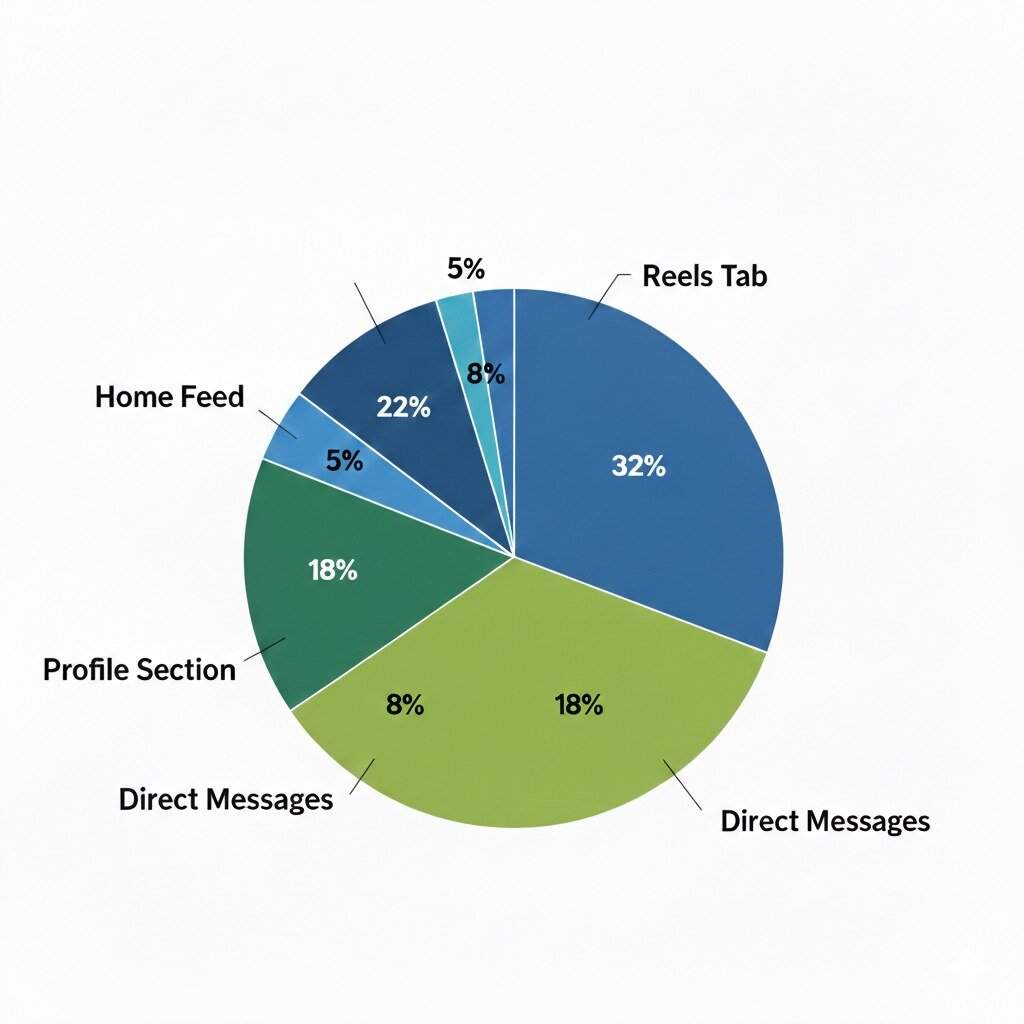
Average User Engagement by Instagram Section
Final Thoughts
Insta navigation mastery enables you to save time while discovering superior content and establishing an audience base through strategic methods. Understanding how each section functions, which includes Home, Explore, Reels, Shop, Profile, and DMs, enables you to achieve maximum user interaction and productive results. Users who want to build a brand or keep in touch with friends need to learn Instagram’s layout to access all platform functions.

Read Dive is a leading technology blog focusing on different domains like Blockchain, AI, Chatbot, Fintech, Health Tech, Software Development and Testing. For guest blogging, please feel free to contact at readdive@gmail.com.