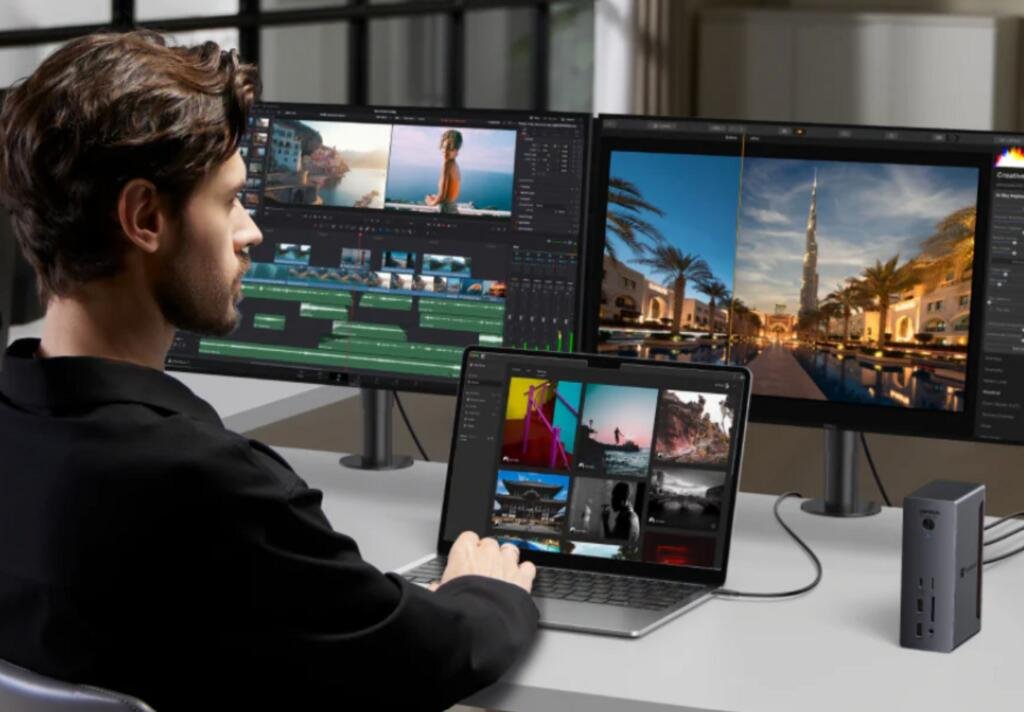
Apple’s March Mac launch has once again put the MacBook Air firmly back in the spotlight. Apple announced the new MacBook Air with M5 in early March 2026, with availability beginning on 11 March in the UK, and positioned it as a faster, more capable evolution of what it calls its most popular laptop. Apple also states that the new MacBook Air includes two Thunderbolt 4 ports, MagSafe charging, and support for up to two external displays.
For many buyers, that immediately raises a practical question. If you are picking up the latest MacBook Air — whether as a daily work laptop, a hybrid home-and-office machine or a lightweight creative device — what kind of dock actually makes sense? More specifically, is a thunderbolt 4 dock still enough for a 2026 MacBook Air, or should buyers already be looking at a thunderbolt 5 dock instead?
It is an important question because the modern MacBook Air is no longer just a simple ultraportable. Apple presents the M5 MacBook Air as a machine capable of handling multitasking, 4K video editing and even gaming, while still keeping the fanless, lightweight design that defines the Air line. That makes it appealing to a much wider group of users than the traditional “basic laptop” buyer.
And yet, as with every thin-and-light premium laptop, portability comes with a trade-off. However polished the device is on its own, most serious desk setups need more connectivity than the MacBook Air provides by default. External monitors, wired internet, storage, keyboards, mice, card readers, microphones and chargers all compete for limited space. That is why the question of the right macbook air dock matters more than it first appears.
Why the new MacBook Air makes the dock question more relevant
The latest MacBook Air sits in an interesting position. It is light enough to travel anywhere, but capable enough that many users will want to make it the centre of their main desk setup. Apple’s own messaging reinforces that idea by highlighting support for up to two external displays and positioning the laptop as suitable for professionals and students who want to expand their workspace.
That is where the gap between laptop portability and desk productivity begins to show.
On the move, two Thunderbolt 4 ports and MagSafe may feel perfectly sufficient. At a desk, the story changes. One user may want to connect a monitor, external SSD and power. Another may add wired ethernet, audio gear and a memory card reader. Another may want a tidy one-cable setup for hybrid work, moving between home and office without rebuilding their workstation each day.
In other words, the question is no longer whether a dock is useful. For many MacBook Air owners, it clearly is. The real question is what level of dock makes sense for this generation of machine.
Start with the ports Apple actually gives you
Apple’s current MacBook Air technical specifications list two Thunderbolt 4 / USB 4 ports alongside MagSafe 3 and a headphone jack. Apple also says the M5 MacBook Air supports up to two external displays and can drive displays up to 6K at 60Hz in some configurations, with support for higher refresh-rate or higher-resolution combinations depending on the display scenario.
That matters because it defines the practical ceiling of what the laptop itself can natively take advantage of.
A lot of dock marketing encourages buyers to think in terms of maximum possible bandwidth, future standards and next-generation expansion. But a dock only becomes valuable if the host computer can meaningfully use what it offers. Since the new MacBook Air itself is built around Thunderbolt 4, many users will reasonably conclude that a thunderbolt 4 dock is the most natural fit.
In many cases, that conclusion is correct.
Why a Thunderbolt 4 dock still makes a strong case
A thunderbolt 4 dock remains a very sensible option for the vast majority of MacBook Air users in 2026. The core reason is simple: it already aligns directly with the MacBook Air’s own port standard. Apple gives you Thunderbolt 4 on the laptop, and a thunderbolt 4 dock is built to expand that environment in a mature, stable and highly practical way.
For a typical UK buyer using the new MacBook Air for remote work, meetings, browser-heavy tasks, office apps, light content creation or a compact home setup, a thunderbolt 4 dock already covers what matters most:
- one-cable desk connection
- external display support
- access to fast storage
- wired internet
- USB accessories
- charging integration through the setup
That is not a compromise. It is already a substantial upgrade over dongles, adapters and constantly rearranging cables.
There is also a practical maturity to Thunderbolt 4 that should not be underestimated. It is established, widely supported and easy to understand. Buyers who want a cleaner desk and a smoother daily routine do not necessarily need to chase the newest standard if the current one already suits the laptop and workflow in front of them.
The strongest argument for Thunderbolt 4: it matches the MacBook Air’s identity
The MacBook Air has always been about balance. Even in its latest M5 form, it is still a machine defined by portability, efficiency and versatility rather than maximum expansion at any cost. Apple’s own product positioning emphasises battery life, silent fanless design, light weight, and broad everyday performance rather than workstation-class I/O.
That identity matters when thinking about docks.
Most MacBook Air buyers are not building huge studio-style environments with multiple specialist devices daisy-chained across an extreme bandwidth budget. They are more likely to be building a polished hybrid workstation: one or two displays, reliable charging, fast storage, a few accessories and perhaps wired networking. That kind of environment is exactly where a thunderbolt 4 dock feels not merely sufficient, but appropriate.
A good macbook air dock should make the desk feel simpler, not more overengineered. For many users, Thunderbolt 4 lands in that sweet spot.
So why are people talking about Thunderbolt 5 at all?
The answer is partly about the wider market, and partly about future-proofing.
Intel says Thunderbolt 5 delivers 80Gbps of bi-directional bandwidth, with Bandwidth Boost allowing up to 120Gbps for display-intensive use cases, and describes it as offering up to three times the bandwidth capability of Thunderbolt 4. Intel positions Thunderbolt 5 for more demanding display, storage and high-performance connectivity scenarios.
That sounds attractive, especially to buyers who have just purchased a brand-new laptop and do not want to replace their desk accessories again too soon.
A thunderbolt 5 dock therefore appeals on a strategic level. It suggests more headroom, more display capability, more potential for high-speed peripherals and a setup that may feel “ready” for future devices even if the current laptop cannot exploit every advantage immediately. That makes it tempting, especially for buyers who think in long upgrade cycles.
But that does not automatically mean it is the best buy for every MacBook Air owner right now.
The key question: are you buying for the Air you have, or the desk you may build later?
This is where the decision becomes more nuanced.
If you are buying for the MacBook Air you actually own today, a thunderbolt 4 dock is usually the more rational choice. The laptop itself is a Thunderbolt 4 machine. Its ports, workflows and likely use cases are already well served by a good Thunderbolt 4 dock. For many users, moving to Thunderbolt 5 at this stage would add cost and theoretical headroom without producing a dramatic improvement in everyday experience.
If, however, you are buying for the broader desk you expect to build over the next few years, the calculation changes.
Perhaps the new MacBook Air is only one part of a wider setup strategy. Perhaps you also expect to upgrade displays, attach faster external storage, add more demanding accessories, or eventually move to a MacBook Pro or another host device that can better exploit a thunderbolt 5 dock. In that case, buying into a newer dock standard may feel like a longer-term infrastructure decision rather than a MacBook Air-specific accessory purchase.
That is the real dividing line: present fit versus future ambition.
For most office and hybrid setups, Thunderbolt 4 is enough
The clearest answer for most mainstream users is still yes: a thunderbolt 4 dock is enough for the new MacBook Air.
If your desk setup looks anything like the following, Thunderbolt 4 is likely to be the sensible choice:
- one or two external displays
- keyboard and mouse
- one or two external drives
- wired ethernet
- charging through the docked workspace
- day-to-day productivity, meetings and multitasking
That covers a huge percentage of MacBook Air buyers.
It is also worth remembering that Apple itself frames the new MacBook Air as a machine for expanded workspace use through its Thunderbolt 4 ports and multi-display support, not as a device that requires next-generation dock infrastructure to feel complete.
In other words, Apple’s own hardware story strongly supports the idea that Thunderbolt 4 remains the natural ecosystem match.
Where a Thunderbolt 5 dock starts to make more sense
A thunderbolt 5 dock becomes more interesting in a narrower set of scenarios.
It may be worth considering if:
- you are building an unusually ambitious multi-monitor desk
- you rely heavily on very fast external storage
- you expect the dock to outlive this MacBook Air and support future machines
- you treat the dock as long-term infrastructure rather than a short-term accessory
- you want to buy once and avoid revisiting the category soon
Even then, the benefit is often less about unlocking the current MacBook Air and more about buying into a higher ceiling for the future.
That distinction matters because many buyers assume a thunderbolt 5 dock must automatically be “better” for a newly released laptop. In reality, it is often better only in the sense that it may be better aligned with future peripherals or future computers. For the MacBook Air on your desk today, the difference may be less dramatic than the product labels suggest.
The MacBook Air is not a MacBook Pro, and that matters
Another reason to resist overbuying is that the MacBook Air occupies a different role from the MacBook Pro.
The Air is exceptionally capable, but it is still designed around portability-first priorities. Apple emphasises its lightweight build, fanless operation and up to 18 hours of battery life. Those qualities make it ideal for hybrid and mobile users, but they also hint at the type of desk environment it most naturally belongs in: refined, efficient, not excessive.
A macbook air dock should complement that philosophy. It should help the laptop dock and undock easily, clean up the workspace and add practical flexibility without becoming disproportionate to the machine itself.
For many users, that points squarely toward Thunderbolt 4.
What UK buyers should probably do in 2026
For UK buyers picking up the new MacBook Air after Apple’s March launch, the most balanced answer is this:
A thunderbolt 4 dock is still enough for most people, and in many cases it is the smartest choice.
It aligns with the laptop’s native port standard, supports the kind of desk expansion Apple itself promotes, and is more than capable of handling the monitor, storage and accessory needs that define a typical MacBook Air workspace.
A thunderbolt 5 dock is worth considering only if you are deliberately buying for a more future-facing setup, not because the current MacBook Air somehow demands it.
That is an important difference. New laptop launches often create the impression that every surrounding accessory category must also move to the newest tier. In reality, the better choice is usually the one that matches how the laptop will be used every day.
Why the best dock decision is about workflow, not just specification
The most useful way to choose a dock is to stop asking which standard is theoretically superior and start asking what kind of desk experience you want.
Do you want a MacBook Air that arrives at your desk and instantly connects to a monitor, keyboard, network and charging with minimal fuss? A thunderbolt 4 dock will likely do that very well.
Do you want to build a more expansive workstation ecosystem that may continue to evolve long after this Air is gone? Then a thunderbolt 5 dock may be easier to justify.
The point is not that one is universally right and the other universally excessive. It is that they solve slightly different problems.
UGREEN operates in exactly this space, where laptop users want modern, cleaner and more efficient connectivity for everyday desks without turning the setup process into a technical headache. For MacBook Air owners, the right dock is not the one with the most intimidating spec sheet. It is the one that makes the laptop feel more complete in real use.
Conclusion
Apple’s March 2026 MacBook Air launch makes the dock question timely again, but the answer is less dramatic than some marketing may suggest. Apple’s new MacBook Air with M5 ships with two Thunderbolt 4 ports, MagSafe charging and support for up to two external displays, which means the laptop already sits very comfortably in a Thunderbolt 4 ecosystem.
For most buyers, that means a thunderbolt 4 dock is not merely adequate. It is the right fit. It provides the connectivity, desk simplicity and expansion that a modern macbook air dock should offer without overshooting the needs of the machine.
A thunderbolt 5 dock only becomes the better answer when the purchase is really about future desk ambitions rather than the MacBook Air itself. If you are planning well beyond today’s laptop and want more room to grow, it can make sense. But if your goal is to upgrade your working desk around the new MacBook Air right now, Thunderbolt 4 still looks like the more grounded and proportionate choice.

Read Dive is a leading technology blog focusing on different domains like Blockchain, AI, Chatbot, Fintech, Health Tech, Software Development and Testing. For guest blogging, please feel free to contact at readdive@gmail.com.