Creating an avatar using AI technology opens a new dimension of making interesting videos, social media posts, presentations, and marketing materials. If you wish to know how to make a free avatar using Google Flow, you can take the benefit of creative tools provided by Google, which help you transform your thoughts into great visuals without the necessity of being a professional designer.
This article will describe the basic steps of making an avatar using Google Flow while giving useful tips on how to improve your results.
What Is Google Flow?
Google Flow is an AI filmmaking and graphic tool aimed at creating graphic content from prompts, allowing coming up with scenes, people, and video ideas.
The good news for those who wish to have an AI avatar is that Flow facilitates the process of developing a character that is going to participate in many different scenes.
Steps for Designing a Free Avatar in Google Flow
1. Launch Google Flow
Begin by using your Google account to enter Google Flow. The availability and free period of use may depend on the record, geographical region, and plan type that is valid at that particular moment. Once you are in Flow, look through the functions of the future project or go through the process of making visual art.
2. Think about the way you want your avatar to look
Before creating an avatar, you should think about how the character should look and behave. This includes the following aspects:
- Age and sex.
- Haircut and hair color.
- Apparel.
- Face traits.
- Environment.
- Personality traits.
- Speaking and acting style.
Do keep in mind that the clearer the description you have in your mind, the better the AI source understands your character concept.
3. Compose a Captivating Prompt
A properly constructed prompt is vital in generating AI avatars. Avoid words like “man” in your prompt and concentrate on detailing the character.
For instance, you may say:
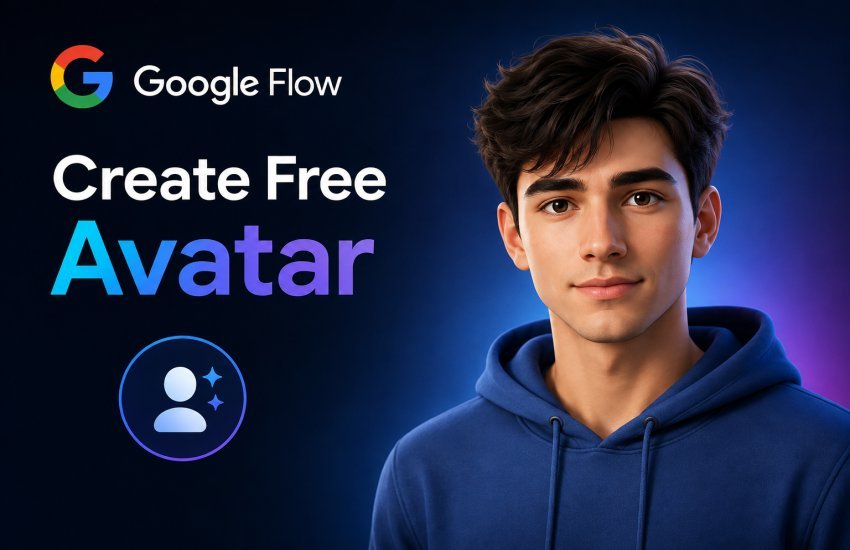
“Generate a charming young man with short, styled dark hair, dressed in a modern blue shirt and smiling naturally, portraying direct eye contact with the camera in ordinary light.”
You can tailor the prompt until the generated character looks exactly like you want.
4. Generate and Improve Your Avatar
Once you feed the prompt into the machine, check the results. If the avatar does not match your expectations, modify the prompt according to your additional specifications.
You may indicate the way how the photo should be taken, facial expressions, clothing, lighting style, and location of the picture. You may need several attempts to get it perfect.
5. Include Your Avatar in Video Productions
Once you have picked out a character, you can create scenes that revolve around the avatar. Consider what your avatar should convey, where it should appear, and what action it should take.
For instance, you might develop an educational presenter, influencer, fictional person, product promoter, or social media personality.
Does Google Flow have a free version?
Google Flow may provide a free option or credit depending on its availability and accounts. Since AI applications often change their pricing and functionality, check Google Flow’s website to confirm this before starting your project.
Conclusion
In conclusion, the process of making a free Avatar with Google Flow is quite unfussy and easy, and you can utilize it to test the character idea and any principles of video making, as long as you have a clear idea about what to do with the character, how to write descriptions of it, and how to experiment with the character.
Frequently Asked Questions (FAQs)
Can I create an avatar for free in Google Flow?
Google Flow may provide free access or credits depending on your account, plan, location, and current Google offering. Check the latest availability inside Flow before generating content.
Do I need coding skills to create an AI avatar?
No. You generally do not need coding knowledge. The process primarily involves using natural-language prompts to describe the visual content you want.
What should I include in an avatar prompt?
Include appearance, clothing, age range, facial expression, setting, lighting, camera angle, and visual style. Specific prompts usually provide better creative direction.

Read Dive is a leading technology blog focusing on different domains like Blockchain, AI, Chatbot, Fintech, Health Tech, Software Development and Testing. For guest blogging, please feel free to contact at readdive@gmail.com.