
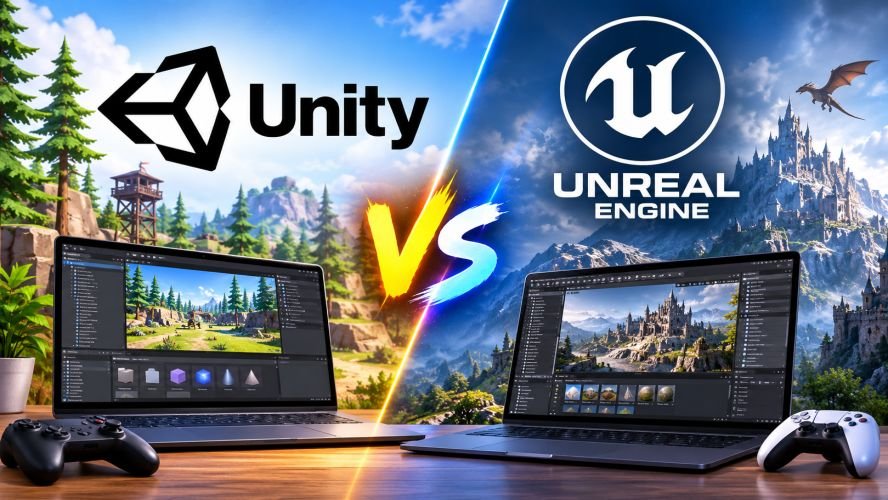
Choosing between Unity and Unreal Engine is an important decision for anyone interested in game development. Both engines provide powerful tools for creating 2D games, 3D experiences, and interactive applications. However, they differ in programming languages, graphics capabilities, development workflows, platform support, and licensing costs.
The Unity Game Engine is widely used for mobile games, indie projects, and cross-platform development. Unreal Engine offers advanced rendering tools and visual scripting features for demanding 3D projects. Understanding these differences can help developers choose an engine that matches their skills, budget, and project goals.
What Are Unity and Unreal Engine?
Before comparing their features, it helps to understand what each game engine offers.
What Is the Unity Game Engine?
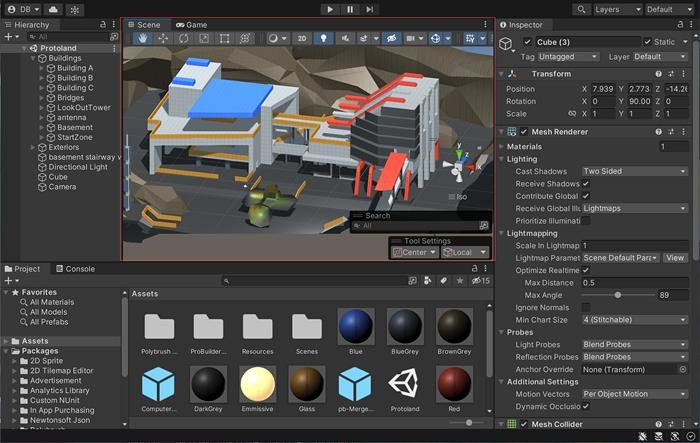
Unity is a cross-platform development engine created by Unity Technologies. Developers use it to build 2D games, 3D games, mobile applications, virtual reality experiences, and other interactive content.
The engine uses C# as its main scripting language. It also provides visual tools that help developers create scenes, manage assets, design interfaces, and test gameplay.
Unity is commonly used for:
-
Mobile games for Android and iOS.
-
2D platformers and puzzle games.
-
Indie and independent game projects.
-
Multiplayer games.
-
Augmented and virtual reality applications.
-
Interactive simulations and training experiences.
Unity 6 includes rendering, multiplayer, visual effects, and development tools designed for different project requirements.
What Is Unreal Engine?
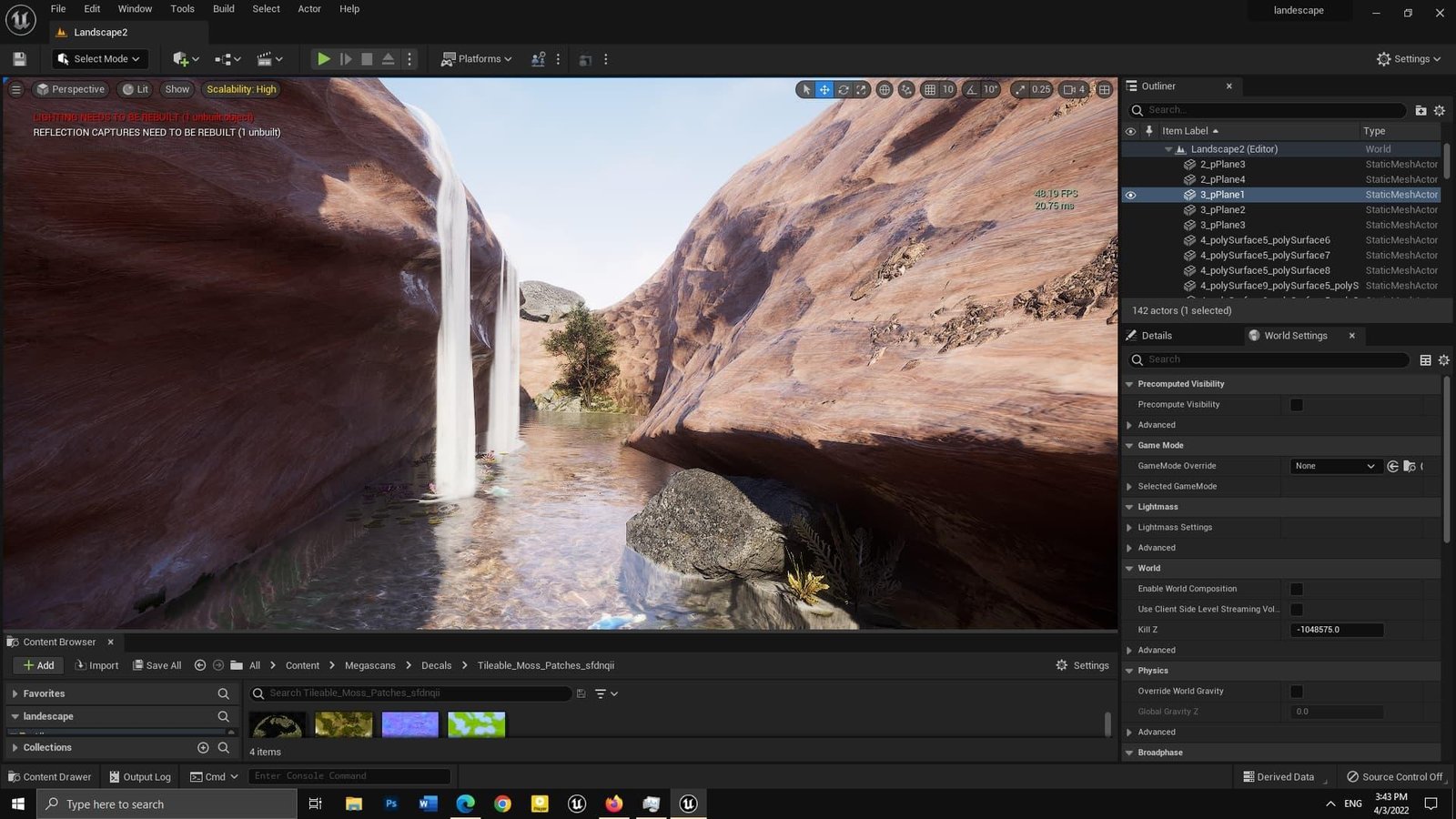
Unreal Engine is a game development platform created by Epic Games. It is known for its advanced 3D graphics, detailed environments, and tools for building complex interactive experiences.
Unreal Engine supports C++ programming and Blueprint visual scripting. Blueprint allows developers to create gameplay logic through connected visual nodes instead of writing every instruction manually.
Developers commonly use Unreal Engine for:
-
High-quality 3D games.
-
Large open-world environments.
-
First-person and third-person games.
-
Architectural visualization.
-
Film and virtual production.
-
Virtual reality applications.
Unreal Engine 5 includes technologies such as Nanite and Lumen, which support detailed geometry and dynamic global illumination in compatible projects.
Unity vs. Unreal Engine: Key Differences
Both engines support professional game development, but their workflows and technical strengths differ.
Here is a quick comparison of their main features.
| Feature | Unity | Unreal Engine |
|---|---|---|
| Developer | Unity Technologies | Epic Games |
| Main programming language | C# | C++ |
| Visual scripting | Unity Visual Scripting | Blueprints |
| 2D development | Dedicated 2D tools | Paper 2D |
| 3D development | Supported | Supported |
| Graphics | Flexible rendering pipelines | Advanced built-in rendering features |
| Mobile development | Strong platform support | Supported |
| Asset marketplace | Unity Asset Store | Fab |
| Main strength | Flexible cross-platform development | Advanced 3D production |
| Learning approach | C# and editor workflows | C++ and Blueprints |
The right choice depends on the type of game you want to create, your programming experience, and your available hardware.
1. Graphics and Visual Quality
Graphics are one of the most noticeable differences between these engines.
Unreal Engine provides advanced rendering technologies that help developers create detailed environments and realistic lighting. Nanite supports highly detailed virtualized geometry, while Lumen provides dynamic global illumination and reflections in supported configurations.
Unity also offers powerful graphics tools. Its Universal Render Pipeline (URP) supports scalable graphics across different hardware levels. The High Definition Render Pipeline (HDRP) targets high-end platforms that require more advanced visual effects.
Which should you choose?
-
Choose Unreal Engine if your project needs detailed environments, advanced lighting, and high-end 3D visuals.
-
Choose Unity if you need flexible graphics settings across mobile, desktop, and other platforms.
Neither engine automatically produces better graphics. Final results depend on assets, lighting, optimization, and developer skills.
2. Programming Languages and Development Tools
Programming languages affect how developers build gameplay systems and manage projects.
Unity Uses C#
Unity primarily uses C# for scripting. C# has a structured syntax and works well for object-oriented programming.
Developers use it to create:
-
Character movement systems.
-
Game menus and interfaces.
-
Enemy behavior.
-
Inventory systems.
-
Game physics interactions.
Unreal Engine Uses C++ and Blueprints
Unreal Engine supports C++ for programming complex gameplay systems and engine-level features.
Its Blueprint visual scripting system allows developers to build gameplay logic using connected nodes. This can make prototyping easier, especially for people who are still learning programming.
However, Blueprint projects can also become difficult to manage when visual graphs grow too large.
Main difference: Unity is centered on C#, while Unreal Engine combines C++ with Blueprint visual scripting. (Epic Developer Community)
3. 2D and 3D Game Development
The type of game you plan to create can influence your engine choice.
Unity for 2D Games
Unity offers dedicated 2D development tools, including sprite management, tilemaps, animation, and 2D physics.
These features make it useful for:
-
Platform games.
-
Puzzle games.
-
Side-scrolling adventures.
-
Card and strategy games.
-
Casual mobile games.
Unreal Engine for 3D Games
Unreal Engine provides a broad set of tools for building detailed 3D environments. Its lighting, material, animation, and world-building systems support complex scenes.
It is commonly used for:
-
First-person shooters.
-
Open-world adventures.
-
Racing games.
-
Realistic simulation games.
-
Cinematic interactive experiences.
Both engines can create 2D and 3D games. However, Unity has a more direct 2D-focused workflow, while Unreal is particularly well suited to advanced 3D production.
4. Mobile Game Development
Mobile development is an important consideration for independent developers and gaming studios.
Unity supports Android and iOS development, with tools for adjusting graphics, memory use, and performance across different devices.
Its flexible rendering options help developers target both entry-level and high-performance smartphones.
Unreal Engine also supports mobile platforms. Developers can create mobile games with advanced graphics, but they must carefully manage rendering features, memory use, and device performance.
Consider Unity when:
-
You are developing casual mobile games.
-
Your project targets several smartphone categories.
-
You want a dedicated 2D development workflow.
-
You need to manage performance across different devices.
Consider Unreal Engine when:
-
You are creating a visually demanding 3D mobile game.
-
Your project requires Unreal-specific tools.
-
Your development team has experience optimizing Unreal projects.
Neither engine guarantees better mobile performance. Optimization depends on the game’s design, assets, code, and target devices.
5. Learning Curve and Ease of Use
Learning time depends on your programming background and the complexity of your project.
Unity is often a practical starting point for beginners who want to learn C#. Its editor provides a straightforward workflow for creating scenes, adding components, and testing gameplay.
Unreal Engine offers Blueprint visual scripting, which allows beginners to experiment with game logic without immediately writing C++.
However, understanding Unreal’s advanced systems can take time, particularly when working with complex 3D projects.
| Learning factor | Unity | Unreal Engine |
|---|---|---|
| Main coding language | C# | C++ |
| Visual scripting | Available | Blueprint |
| Beginner resources | Extensive | Extensive |
| 2D learning projects | Well supported | Available |
| Advanced 3D workflows | Supported | Extensive built-in tools |
If you have never programmed before, both engines offer ways to start learning without mastering advanced programming immediately.
6. Asset Stores and Development Resources
Game developers often need ready-made assets, templates, animations, environments, and development tools.
Both engines provide marketplaces where creators can find useful resources.
Unity Asset Store

The Unity Asset Store offers resources such as:
-
2D and 3D models.
-
Character animations.
-
Audio effects and music tools.
-
Environment packs.
-
Development plugins.
-
Game templates.
These resources can help developers reduce repetitive work and speed up production.
Unreal Engine Fab
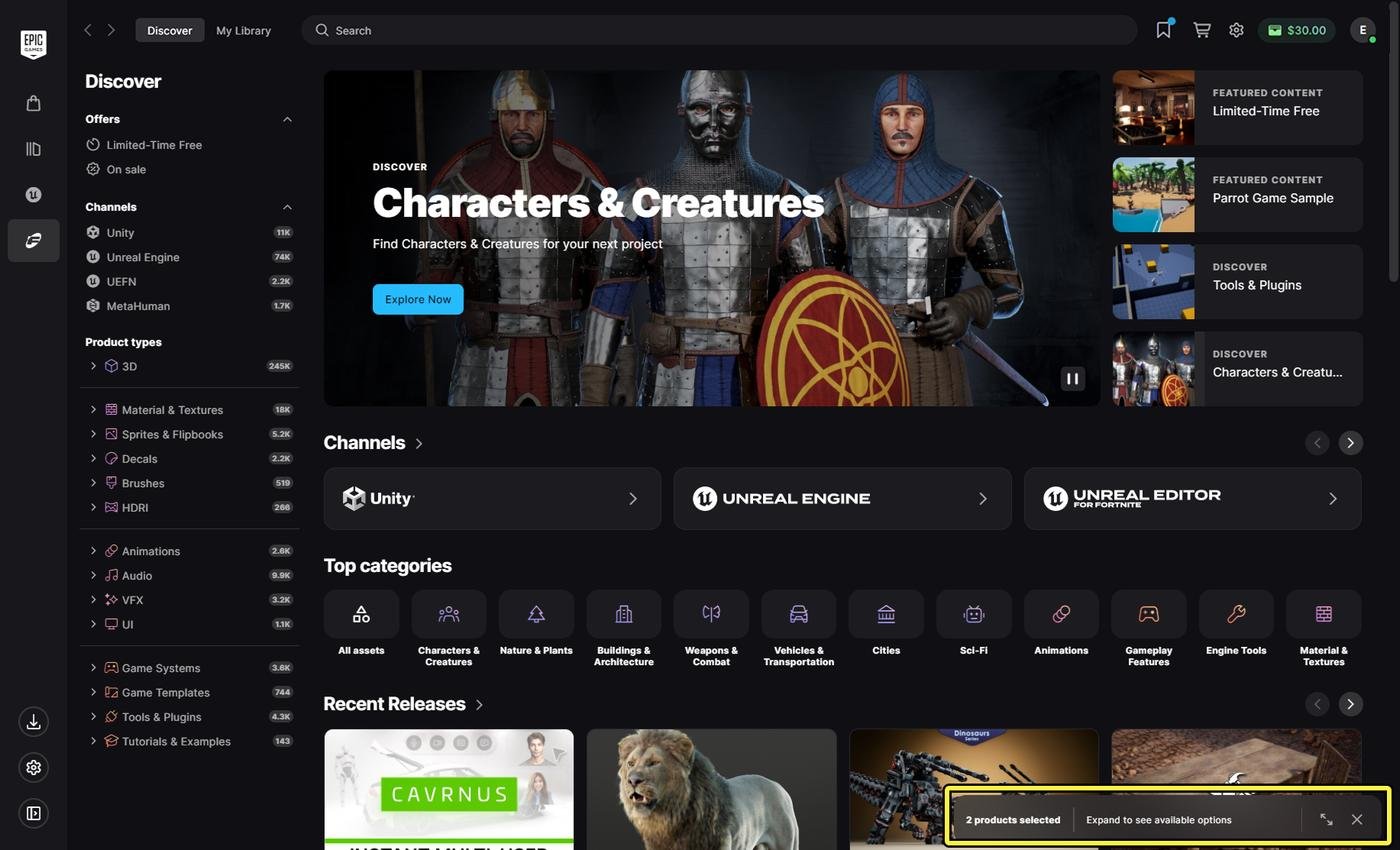
Fab is Epic Games’ marketplace for digital content.
It provides access to different types of development resources, including 3D models, environments, materials, and other production assets.
Both marketplaces can save time, but developers should check asset licenses, compatibility, and update history before purchasing or downloading resources.
7. Pricing and Licensing: Unity vs. Unreal Engine
Pricing is another important factor when choosing a game engine. Both platforms offer free access, but their commercial licensing rules differ.
Unity Pricing
Unity offers several subscription options.
-
Unity Personal: Free for eligible individuals and small teams.
-
Unity Pro: A paid plan for professional developers and organizations.
-
Unity Enterprise: A custom-priced option for larger organizations.
As of 2026, Unity Personal is available to eligible game developers with up to $200,000 in annual revenue and funding. Unity Pro is required above that threshold, while Enterprise applies to organizations with more than $25 million in annual revenue and funding.
Unity Pro is listed at $2,310 per seat annually with yearly payment, or $210 per month with monthly payment.
Unreal Engine Pricing
Unreal Engine is free to download and use under its standard game-development license.
For qualifying games and applications licensed to third-party end users, Epic charges a 5% royalty on lifetime gross revenue above the first $1 million attributable to the product. Sales through the Epic Games Store are royalty-free under this licensing model.
Pricing Comparison
| Pricing factor | Unity | Unreal Engine |
|---|---|---|
| Free option | Personal | Yes |
| Paid subscription | Pro and Enterprise | Certain commercial uses |
| Revenue threshold | $200,000 for Personal | First $1 million |
| Royalty for games | No Runtime Fee | 5% above applicable threshold |
| Enterprise pricing | Custom | Depends on license type |
Important: Review the official licensing terms before publishing a commercial game. Your business model, revenue, funding, and distribution method can affect the applicable requirements.
8. Hardware Requirements and Performance
Your computer’s hardware can affect how comfortably you work with either engine.
Unity’s official Unity 6 documentation recommends at least 8 GB of system memory for the Editor. Larger projects may require more RAM and faster storage.
Unreal Engine’s recommended Windows development specifications include:
-
Windows 11.
-
A quad-core Intel or AMD processor running at 2.5 GHz or faster.
-
32 GB of RAM.
-
A graphics card with at least 8 GB of graphics memory.
-
DirectX 12 compatibility.
These are recommendations, not universal minimum requirements.
For developers using older computers, Unity may provide a more manageable starting point, depending on the project.
Unreal Engine can also run on less powerful hardware, but demanding rendering features may require stronger components.
9. Which Game Engine Should You Choose?
There is no universal winner between Unity and Unreal Engine. The better option depends on your project requirements and development experience.
| Your project goal | Engine to consider |
|---|---|
| 2D mobile game | Unity |
| Casual indie game | Unity |
| Cross-platform development | Unity |
| High-end 3D environments | Unreal Engine |
| Realistic lighting and geometry | Unreal Engine |
| Blueprint-based gameplay | Unreal Engine |
| C#-based game development | Unity |
| Large cinematic environments | Unreal Engine |
These are starting points rather than strict rules. Both engines can handle projects outside their most common use cases.
When Should You Choose Unity?
Consider Unity if you want to create mobile games, 2D experiences, or projects targeting several platforms.
It is also worth considering if you already know C# or prefer a development workflow built around that language.
When Should You Choose Unreal Engine?
Consider Unreal Engine if your project requires detailed 3D environments, advanced lighting, or extensive visual scripting.
It may also suit developers who want to work with C++ and build complex interactive experiences.
10. Popular Games Made With Unity and Unreal Engine
Looking at games developed with these engines can help readers understand their practical capabilities.
1. Hollow Knight
Developed using Unity, this 2D action-adventure game demonstrates how the engine supports detailed environments and responsive gameplay.
2. Among Us
This Unity-developed multiplayer game demonstrates how simple visuals and engaging mechanics can create a successful gaming experience.
3. Fortnite
Developed with Unreal Engine, Fortnite demonstrates the engine’s capabilities for large multiplayer experiences and detailed 3D environments.
4. The Finals
Built with Unreal Engine 5, this multiplayer shooter showcases detailed environments and complex real-time visual effects.
5. Pokémon GO — Unity
This popular augmented reality game uses Unity to combine mobile gaming with real-world exploration and location-based gameplay.
6. Cuphead — Unity
This action game uses Unity to deliver hand-drawn animation, challenging boss battles, and a distinctive cartoon-inspired visual style.
7. Genshin Impact — Unity
This open-world action RPG demonstrates Unity’s ability to support large environments, character animations, and cross-platform gameplay.
8. PUBG: Battlegrounds — Unreal Engine
This battle royale game uses Unreal Engine to create large multiplayer environments, detailed maps, and competitive gameplay.
9. Hogwarts Legacy — Unreal Engine
This action RPG uses Unreal Engine to create detailed magical environments, character animations, and immersive exploration.
10. Star Wars Jedi: Survivor — Unreal Engine
This action-adventure game uses Unreal Engine 4 to deliver cinematic environments, combat systems, and detailed visual effects.
These examples demonstrate that both engines can support commercially released games across different genres and production styles.
Conclusion
The choice between Unity and Unreal Engine depends on your development goals, technical skills, and project requirements. Unity offers a flexible environment for 2D games, mobile development, and cross-platform projects. Unreal Engine provides advanced tools for detailed 3D environments, lighting, and visual scripting. Both are capable development platforms with different strengths. Before choosing, consider your target devices, budget, programming experience, and the type of game you want to build.
Frequently Asked Questions
1. Is Unity Game Engine better than Unreal Engine?
Neither engine is better for every project. Unity is a strong option for 2D games, mobile development, and cross-platform projects. Unreal Engine offers advanced tools for complex 3D environments and visual effects. Your project requirements should guide the decision.
2. Is Unity easier to learn than Unreal Engine?
Unity can be easier for beginners who want to learn C# and build simple games. Unreal Engine offers Blueprint visual scripting, which helps beginners create gameplay without writing much code. Both require practice to master.
3. Can Unity and Unreal Engine create mobile games?
Yes. Both engines support mobile game development for platforms such as Android and iOS. Unity provides a flexible workflow for mobile projects, while Unreal Engine supports mobile games that may require more advanced 3D graphics.
4. Is Unity Game Engine free to use?
Unity Personal is free for eligible users whose annual revenue and funding do not exceed $200,000. Developers who exceed the applicable threshold must use a qualifying paid plan. Always review Unity’s current licensing terms.
5. Does Unreal Engine require programming knowledge?
No. Beginners can use Blueprint visual scripting to create gameplay logic without writing traditional code. However, learning C++ can help developers build more advanced systems and customize their projects.

Read Dive is a leading technology blog focusing on different domains like Blockchain, AI, Chatbot, Fintech, Health Tech, Software Development and Testing. For guest blogging, please feel free to contact at readdive@gmail.com.