Why Do Software Bugs Still Reach End Users?
Software bugs often reach users because development and testing activities do not always happen together. When testing begins only after development is complete, important defects may remain unnoticed until the release stage.
Gaps Between Development and Testing Workflows
Developers and testers sometimes work with different priorities, tools, and timelines. Poor communication can leave important features without sufficient testing.
Risks of Relying Only on Last-Minute Testing
Testing everything just before release creates time pressure. Teams may skip scenarios or overlook defects to meet delivery deadlines.
Impact of Undetected Bugs on User Experience and Software Reliability
Unexpected crashes, incorrect results, and slow response times can reduce user confidence. Repeated problems may also affect customer retention.
Why Continuous Testing Habits Matter More Than One-Time Testing Efforts
Regular testing makes early bug detection easier and reduces the cost of fixing defects. Strong software testing habits help teams identify problems throughout development rather than waiting until the final release.
What Daily Software Testing Habits Help Developers Catch Bugs Early?
Developers can prevent many common defects by following practical testing habits every day. These activities do not always require expensive tools or lengthy processes. A consistent approach can improve code quality and make problems easier to resolve.
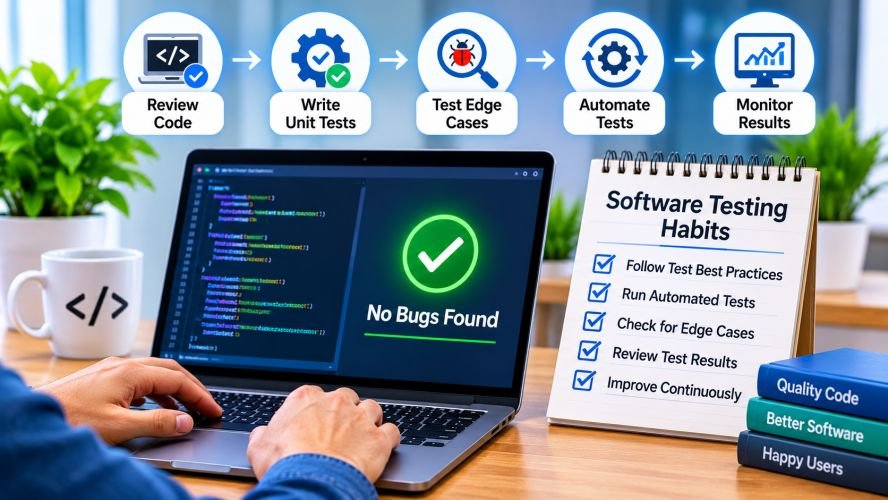
Review Code Before Merging
Code reviews help identify logical mistakes, missing conditions, and inconsistent coding practices before changes enter the main branch. Another developer can notice issues that the original author may overlook. Reviews also encourage knowledge sharing and maintainable code.
Write Unit Tests Alongside Code
Writing unit tests while developing a feature helps verify individual functions and components immediately. Developers can check whether expected inputs produce correct results and whether existing functionality remains unaffected. This practice supports early bug detection and makes future changes safer.
Test Edge Cases and Negative Scenarios
Software should not be tested only with normal inputs. Developers must also consider empty fields, invalid values, unexpected formats, and unusual user actions. Testing these situations helps reveal hidden defects that ordinary test cases may miss.
Use Static Code Analysis
Static analysis tools examine source code without executing the application. They can highlight potential security weaknesses, coding errors, duplicated logic, and maintainability concerns. Using these tools regularly helps developers address problems before they become difficult to fix.
Together, these habits create a practical foundation for effective software testing strategies. They also encourage developers to take responsibility for quality instead of depending entirely on the QA team.
Which Testing Routines Should Development Teams Automate?
Automated software testing helps teams repeat important checks quickly and consistently. However, automation works best when applied to suitable testing activities rather than every possible scenario.
Integration Testing
Integration tests verify whether different application components communicate correctly. They can identify problems involving databases, external services, APIs, and connected modules before these issues affect users.
Regression Testing
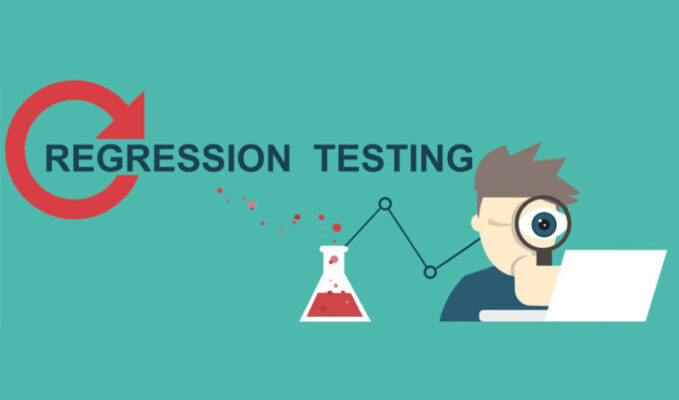
Regression testing checks whether recent code changes have affected existing features. Automated regression suites are particularly useful for applications that receive frequent updates. They help teams maintain functionality while introducing improvements.
API Testing
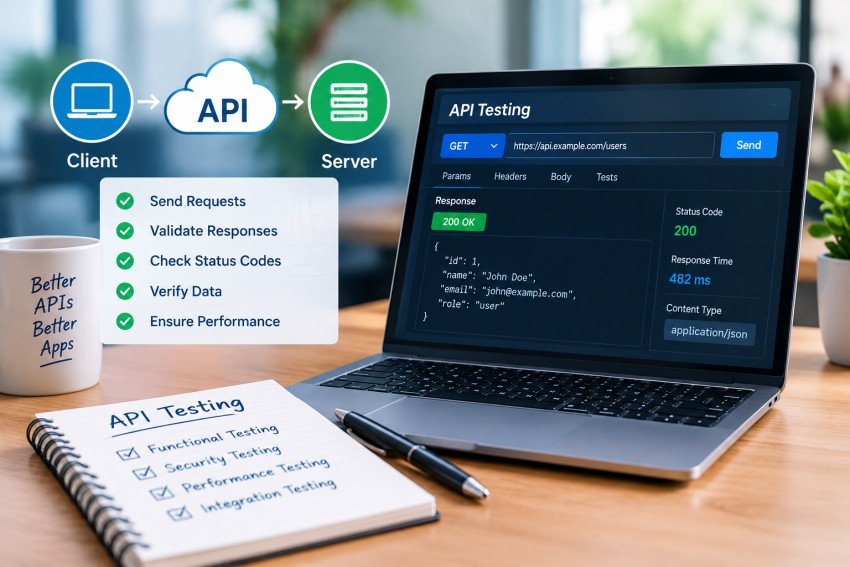
API testing verifies communication between software components. Automated checks can validate response codes, data formats, authentication, and expected results. These tests help identify backend issues before they affect the application interface.
Smoke Testing
Smoke tests perform basic checks to determine whether an application build is stable enough for further testing. They commonly cover essential functions such as login, navigation, and critical application workflows.
Automating these routines saves time and supports consistent results. Teams can then spend more time on exploratory testing, usability checks, and complex scenarios that require human judgment.
How Can Teams Make Testing a Continuous Part of Development?
Continuous testing becomes more effective when it is included in everyday development activities. Rather than waiting for a separate testing phase, teams can integrate quality checks into their existing workflows.
Integrate Automated Tests Into CI/CD Pipelines
Connecting automated tests with continuous integration and delivery pipelines allows teams to check code changes as they move through development. Failed tests can highlight problems before deployment.
Run Tests Automatically Before Code Merges and Releases
Teams should configure essential test suites to run before important code merges and production releases. This reduces the chances of introducing known defects into stable application versions.
Use Test Coverage Reports to Identify Untested Areas
Coverage reports show which parts of the application are exercised by automated tests. Developers can use this information to identify important functions that need additional test cases. However, high coverage alone does not guarantee effective testing.
Maintain Reliable Test Environments and Test Data
Testing results become unreliable when environments differ significantly from production. Teams should maintain consistent configurations and realistic test data while protecting sensitive information.
Make Developers Responsible for Fixing Failed Tests
Failed tests should receive attention from the developers responsible for the affected changes. Shared ownership encourages accountability and makes continuous testing a regular part of software quality assurance.
What Testing Habits Should Teams Continue After Software Launch?
Software testing should not stop when an application goes live. Production environments introduce real user behaviour, changing workloads, and unexpected situations that may not appear during development. Maintaining testing activities after launch helps teams protect application reliability.
Monitor Application Errors and Production Logs
Regularly reviewing application logs helps identify crashes, performance problems, and unexpected system behaviour. Monitoring alerts can also notify teams when critical errors occur.
Track User-Reported Bugs and Recurring Issues
Customer feedback provides useful information about problems that may have escaped internal testing. Recording reported defects helps teams identify recurring patterns and prioritize fixes.
Run Automated Regression Tests After Production Updates
Even small updates can affect existing features. Running regression tests after production changes helps confirm that important application functions continue to work correctly.
Perform Exploratory Testing on New Features
Exploratory testing allows testers to examine new functionality without depending entirely on predefined test cases. It can uncover unexpected interactions and usability problems.
Review Escaped Defects to Prevent Similar Issues
When bugs reach production, teams should investigate why earlier checks failed to detect them. These reviews help improve testing strategies and prevent similar defects in future releases.
How Can Development Teams Build a Sustainable Software Testing Routine?
A sustainable testing routine should fit naturally into the development process. It must be practical enough for daily use while providing sufficient coverage for important application features.
Establish Testing Responsibilities Across Developers and QA Engineers
Developers should test their code, while QA engineers can focus on broader workflows, usability, and complex scenarios. Clearly defined responsibilities reduce confusion and prevent testing gaps.
Prioritize Test Cases Based on Business Impact and Risk
Not every feature requires the same level of testing. Teams should prioritize payment systems, authentication, customer data, and other critical functions based on their potential impact.
Maintain and Update Automated Test Scripts
Automated tests can become outdated when application features change. Teams should regularly review scripts, remove unnecessary cases, and update test scenarios to match current functionality.
Review Testing Results During Regular Sprint Retrospectives
Sprint retrospectives provide an opportunity to discuss recurring defects, delayed fixes, and testing challenges. Teams can use these discussions to improve their processes and address workflow problems.
Measure Defect Leakage, Test Failure Rates, and Bug Resolution Time
Useful testing metrics help teams understand whether their processes are improving. Defect leakage shows how many issues escape into later stages, while resolution time indicates how quickly teams address reported problems.
A practical software testing checklist for development teams can bring these activities together. Consistent reviews, clear responsibilities, and realistic priorities help maintain quality without slowing down development unnecessarily.
Conclusion
Following Software Testing Best Practices helps development teams identify defects before they affect users. Regular code reviews, automated checks, regression testing, and production monitoring all contribute to reliable applications.
The key is to make testing an ongoing responsibility rather than a final project activity. By building consistent habits and reviewing results regularly, teams can improve software quality, reduce production issues, and deliver a better user experience.
FAQs
- What is the difference between software testing and debugging?
Software testing identifies defects and checks application functionality, while debugging involves finding the root cause of those defects, fixing errors, and verifying that the solution works correctly.
- How can small development teams maintain effective software testing habits with limited resources?
Small teams can use open-source testing tools, perform regular code reviews, write unit tests, and prioritize critical features. Consistent testing habits help detect bugs without increasing costs.
- Which software testing tools are best for identifying bugs early in development?
Tools like Selenium, Playwright, JUnit, pytest, Postman, and SonarQube help detect defects through automated testing, API checks, unit testing, and static code analysis.
- How often should development teams review and update their automated test cases?
Teams should review automated test cases during every development cycle, especially after feature changes, bug fixes, and major updates, to maintain accurate and reliable test coverage.
- Where should teams focus their testing efforts when working with complex applications?
Teams should prioritize critical features such as authentication, payment processing, database operations, APIs, and integrations. Risk-based testing helps identify defects in areas with the greatest business impact.
- How can businesses choose the right software testing approach for their development projects?
Businesses should consider project complexity, budget, release frequency, and technical risks. Combining manual and automated software testing provides balanced coverage and supports long-term software quality.

Read Dive is a leading technology blog focusing on different domains like Blockchain, AI, Chatbot, Fintech, Health Tech, Software Development and Testing. For guest blogging, please feel free to contact at readdive@gmail.com.