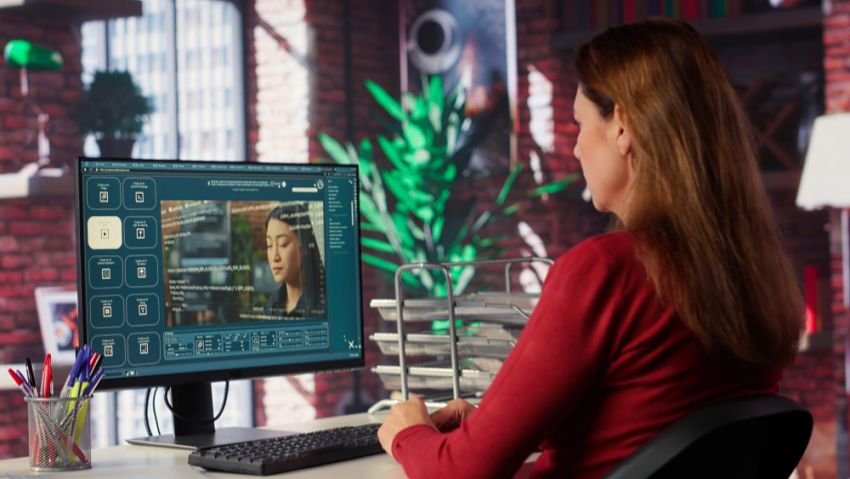
AI image generation workflows have changed the way brands produce visuals. Whether you run a small online store or manage a full marketing department, getting the right image fast — and getting it right — is now a daily requirement. Tools that support multi-model image generation, reference-based editing, and structured visual output are helping teams move faster without sacrificing quality. This article looks at how eCommerce and marketing teams are using AI-powered image workflows to scale their visual output, reduce production time, and keep their brand visuals consistent across every channel.
Key Takeaways
- AI image workflows go well beyond simple text-to-image generation. Real production requires text-to-image, image-to-image, reference editing, and structured output workflows.
- eCommerce teams benefit most from reference-based editing that keeps product visuals consistent across multiple outputs.
- Marketing teams producing ads, posters, and social content need strong text rendering and format control alongside creative generation.
- Using multiple AI models from one platform reduces tool switching and helps teams match the right workflow to the right task.
- Output control — resolution, format, aspect ratio — matters when images are going directly into design, ad, or delivery systems.
- Platforms like Image 2 provide multiple AI image workflows in one place, including GPT Images 2.0, Nano Banana 2, and Seedream 5 Lite, with guidance on where each one fits.
Why Visual Content Volume Is a Real Problem for Teams
If you run an online store with 200 products, and each product needs a main image, a lifestyle shot, a social post version, and a promotional banner — that is 800 images just for your product catalog. Add seasonal campaigns, email graphics, ad creatives, and landing page visuals, and the number goes even higher.
Most teams do not have the budget for a full-time photography studio or a large design team. Even those who do often find that production bottlenecks slow down launches and campaign timelines.
This is where AI image generation platforms come in. They do not replace creative thinking, but they do reduce the manual hours needed to go from a concept to a finished image.
According to a 2024 survey by Content Marketing Institute, 61% of marketing teams reported that visual content production was one of their biggest workflow bottlenecks. Teams that adopted AI-assisted image creation reported cutting first-draft production time by 40 to 60 percent on certain asset types.
What It Means to Have Multiple AI Workflows in One Place
Most people have heard of AI image generation. You type a description, the AI produces an image. That is text-to-image generation, and it works well for many tasks.
But real production workflows are more layered than that. Sometimes you already have an image and you want to update the background. Sometimes you need a product shot that keeps the item looking exactly the same across five different seasonal banners. Sometimes you need a poster where the text has to be perfectly readable.
These tasks need different approaches. A platform that only offers one AI model and one generation mode will limit what your team can do. That is why platforms like Image 2 are useful — they bring multiple models and workflow types into one place, so teams can match the right tool to the right job.
Image 2 currently supports GPT Images 2.0, Nano Banana 2, and Seedream 5 Lite, along with tools like a background remover and image upscaler. Each model handles different visual tasks, and the platform explains where each one fits before you start generating.
Text-to-Image Generation: Where Most Teams Start
Text-to-image is the most common entry point for AI image production. You write a prompt describing what you want — a product on a white background, a lifestyle scene with natural lighting, an abstract graphic for a social post — and the AI generates the image.
For eCommerce teams, this is useful for:
- Creating initial product concept images before a photoshoot
- Generating lifestyle images without booking a model or location
- Testing different visual directions for a campaign before committing to production costs
For marketing teams, text-to-image is useful for:
- Building ad creative drafts quickly for A/B testing
- Creating social media visuals on a tight content calendar
- Generating thumbnail options for blog posts, YouTube videos, or email headers
GPT Images 2.0, available through Image 2, is described as a strong general generation and editing entry point. It handles a wide range of prompt types and works well when you want to move fast from idea to first draft.
Image-to-Image Editing: Working From What You Already Have
Not every task starts from a blank canvas. Many teams already have images — product photos, brand assets, previous campaign graphics — and they need to refresh, extend, or adjust them.
Image-to-image editing lets you upload an existing image and use a text instruction to change it. You might want to swap the background, add a seasonal element, change the lighting, or adapt the image for a different aspect ratio.
This workflow matters for eCommerce teams that want to:
- Update product backgrounds for seasonal promotions without a reshoot
- Adapt a single product image into multiple format variations (square for Instagram, portrait for Pinterest, landscape for email headers)
- Test different color schemes or setting combinations before finalizing
For marketing teams, image-to-image editing is useful when existing brand assets need to be refreshed without starting from scratch. A campaign graphic from last quarter can be updated with new messaging and a different color story in far less time than a full redesign.
Reference-Based Editing: Keeping Subjects Consistent
One of the hardest things in AI image production is keeping a specific subject — a product, a character, a person — looking the same across multiple images. If you generate five banner ads with a text-only prompt, the product might look slightly different in each one. That inconsistency hurts brand trust.
Reference-based editing solves this by letting you upload one or more existing images as guides. The AI uses those references to keep the key visual elements stable across outputs.
The Nano Banana 2 AI image generator, accessible through Image 2, is specifically built for this kind of controlled, reference-led editing. It supports up to 14 reference images in a single workflow and maintains subject consistency across up to five characters and fourteen objects. This matters for:
- Product listings where the item must look identical across all image variations
- Character or mascot consistency across marketing materials
- Brand asset management where visual elements must stay on-model
Nano Banana 2 also handles text rendering well, which is important when your images include copy — like posters, ad banners, or promotional graphics where the headline needs to be clean and readable.
Structured Visual Output: Infographics, Posters, and Explainers
Some visuals are about more than aesthetics. Infographics, educational posters, data explainers, and presentation images need to carry information clearly. The visual structure has to work alongside the content.
Seedream 5 Lite, the third model available through Image 2, is positioned for this type of task. It focuses on instruction understanding, information visualization, and reasoning — which makes it better suited for images where layout, hierarchy, and readable text all have to work together.
Marketing teams that produce:
- Educational content like how-to guides or product explainers
- Data visualizations or report summaries for social media
- Presentation slides or webinar graphics
…can use Seedream 5 Lite for tasks where the image needs to communicate structured information, not just look good.
How eCommerce Teams Build Scalable Visual Workflows
Here is a practical example of how an eCommerce team might structure their visual production using a multi-model platform.
Stage 1: Catalog Visuals The team uploads reference product photos and uses a reference-based workflow to generate clean, consistent product images across different background options. They use Nano Banana 2 for this because the product needs to look identical across all variations.
Stage 2: Lifestyle and Campaign Images For seasonal campaign images, the team uses text-to-image prompts to generate lifestyle scenes. They can quickly test different environments — outdoor summer settings, cozy winter interiors, minimalist studio looks — without booking a shoot.
Stage 3: Ad Creatives and Social Content Ad banners and social posts often need text overlaid on the image. The team uses Nano Banana 2’s text rendering capability to produce poster-style creatives where the headline copy stays sharp and positioned correctly.
Stage 4: Explainer and Category Content For category landing pages and blog posts, the team uses Seedream 5 Lite to generate structured informational images that align with the written content.
This kind of staged workflow reduces production time significantly compared to managing separate tools for each image type.
Key Factors When Choosing an AI Image Workflow
Not every AI image tool is the right fit for every task. Here are the main questions to ask before choosing a workflow:
| Task Type | What to Look For |
| Starting from scratch | Strong text-to-image prompt handling |
| Editing existing assets | Image-to-image support |
| Brand/product consistency | Reference-based editing with subject stability |
| Posters and text-heavy images | Strong text rendering capability |
| Infographics and explainers | Instruction understanding and layout reasoning |
| Production delivery | Output format and resolution control |
Image 2 provides model guidance on its homepage and individual model pages so teams can match the right workflow before they start generating. This reduces trial and error, which is one of the biggest time costs in AI image production.
Output Control Matters in Real Production Workflows
When an image is going directly into a design system, an ad platform, or a web page, the file format and resolution matter. A tool that only exports in one size or format adds extra steps to the production process.
Nano Banana 2 through Image 2 supports 1K, 2K, and 4K output resolution, as well as PNG and JPG format selection. This means images can be delivered at the right spec for their destination — high resolution for print or large-format display, lighter files for web delivery.
Having direct output control reduces the need for additional post-processing and makes it easier to hand images off directly to design, development, or ad teams.
What “Multi-Model” Actually Means for Your Team
A common misunderstanding is that having more AI models available means more complexity. In practice, it means more clarity. When a platform explains which model fits which task, your team does not have to guess. You do not waste credits running the wrong model on a task it was not designed for.
Image 2 is built around this idea. The platform keeps GPT Images 2.0, Nano Banana 2, and Seedream 5 Lite in one creation entry and provides guidance on where each one fits — rather than leaving users to test blindly.
For teams producing content across multiple channels and asset types, this clarity translates directly into faster production cycles and less rework.
Frequently Asked Questions
What is the difference between text-to-image and image-to-image AI workflows?
Text-to-image starts from a written prompt and generates a new image. Image-to-image starts from an existing image and uses text instructions to change or extend it. Most production workflows need both.
Why does reference-based editing matter for eCommerce?
Reference-based editing keeps a product or subject looking consistent across multiple image variations. This is important when you need the same item to appear across different backgrounds, sizes, or seasonal creative treatments without visual drift between outputs.
What should I look for in an AI image platform for marketing teams?
Look for text-to-image and image-to-image support, strong text rendering for ad and poster creatives, reference-based editing for brand consistency, output format and resolution control, and clear guidance on which workflow fits which task type.
Is Nano Banana 2 good for product images?
Nano Banana 2 is designed for reference-led editing, subject consistency, and controlled output. It supports up to 14 reference images and can maintain consistency across multiple subjects, which makes it well-suited for product image workflows where consistency matters.
How does Image 2 support multiple workflows in one place?
Image 2 brings GPT Images 2.0, Nano Banana 2, and Seedream 5 Lite into one generation interface. Users can choose the model that fits their task — whether that is prompt-led generation, reference-based editing, or structured visual output — without switching between separate platforms.
Can AI-generated images be used commercially?
Generally, yes — but you should review the platform terms and any model-specific licensing conditions. You are responsible for ensuring your inputs and outputs do not infringe on trademarks, copyrights, likeness rights, or other third-party claims.

Read Dive is a leading technology blog focusing on different domains like Blockchain, AI, Chatbot, Fintech, Health Tech, Software Development and Testing. For guest blogging, please feel free to contact at readdive@gmail.com.