Creating a Google account should be simple, yet many users become confused when they encounter QR code prompts during setup or sign-in. While QR codes can make authentication faster, not everyone has access to another device for scanning, and some users simply prefer traditional methods.
The good news is that setting up a Google account without scanning a QR code is entirely possible. Google still provides multiple verification and account creation options designed for accessibility and convenience.
Whether you’re creating your first Gmail address, setting up an Android phone, or managing a new device, this guide explains exactly how to create and access your account without relying on QR code authentication.
Why Does Google Sometimes Ask for a QR Code?
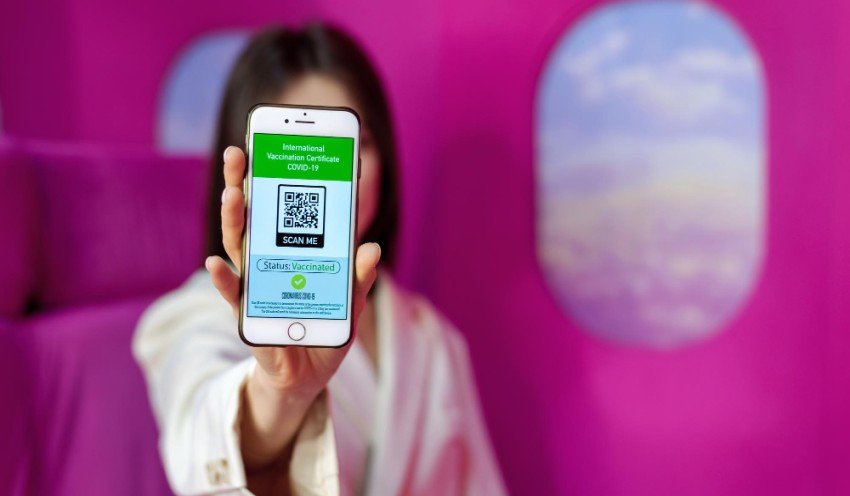
Google uses QR codes mainly for account verification and secure sign-ins. The feature is intended to improve security by confirming that the person trying to access the account is the legitimate owner.
For example, when signing in on a computer, Google may ask you to scan a QR code using a mobile device already connected to your account. This process reduces phishing risks and strengthens account protection.
However, QR code verification is not mandatory in every situation. Google understands that users may not always have another device available, so alternative verification methods remain available.
This flexibility ensures that accessibility is maintained for millions of users across different devices and regions.
Creating a Google Account From Scratch
If you’re making a new Google account, you typically won’t need a QR code at all.
Follow these steps:
- Visit the Google account creation page.
- Enter your first and last name.
- Choose a Gmail address or use an existing email.
- Create a strong password.
- Add a recovery phone number and email if desired.
- Verify your phone number using SMS when prompted.
- Accept Google’s Terms of Service.
After completing these steps, your Google account becomes active immediately.
Most users setting up Gmail for the first time never encounter QR verification during the registration process. QR codes usually appear later during advanced sign-ins or device linking.
How to Sign In Without Using a QR Code
If Google asks you to scan a QR code while signing in, don’t assume it’s your only option.
Look carefully for alternative links such as:
- Try another way
- Use password instead
- Get a verification code
- Use recovery email
- Send SMS code
Google often prioritizes the fastest authentication method but still allows fallback options.
For instance, if you previously added a recovery phone number, Google may send a six-digit code via text message. Similarly, recovery emails can provide verification links for account access.
Using these alternatives allows you to continue using your Google account without scanning a QR code while maintaining account security.
Alternative Verification Methods Google Supports
Google’s security system is designed with multiple authentication layers. QR codes are only one piece of a broader verification framework.
Here are the most common alternatives:
|
Verification Method |
How It Works |
| SMS Verification | Google sends a code to your phone number. |
| Recovery Email | A code or link is sent to your backup email. |
| Password Authentication | Sign in using your password directly. |
| Security Keys | Physical devices like USB security keys verify access. |
| Authenticator Apps | Generate time-based login codes. |
This multi-layered approach improves account recovery while giving users flexibility.
Security experts generally recommend enabling at least two recovery methods. Doing so significantly reduces the risk of permanent account lockout.
Why Some Users Avoid QR Code Authentication
Although QR authentication is convenient, it isn’t ideal for everyone.
Several situations make traditional verification preferable:
Limited Device Access
Many people own only one device. If Google requests QR scanning on a laptop but the user has no smartphone nearby, account access becomes inconvenient.
Privacy Concerns
Some users prefer minimizing cross-device tracking and authentication. While Google’s QR system is secure, personal preferences vary.
Technical Issues
Camera malfunctions, broken screens, or poor internet connections can prevent QR scanning entirely.
Workplace Restrictions
Corporate environments sometimes block personal device usage, making QR verification impractical.
Because of these scenarios, Google’s alternative verification systems remain important.
Tips for a Smooth Account Setup Experience
Setting up a Google account becomes much easier when you prepare in advance.
Consider these best practices:
- Use a strong, unique password.
- Add a recovery email address.
- Keep your phone number updated.
- Enable two-factor authentication.
- Save backup codes in a secure location.
Many account recovery problems occur because users skip these small but important steps. Spending a few extra minutes during setup can save hours of frustration later.
If you expect to use a Google account without scanning a QR code, maintaining updated recovery information is especially important because it provides reliable alternatives when QR verification isn’t available.
Understanding Google’s Security Philosophy
Google manages billions of accounts worldwide, making security a top priority. Features like QR authentication are designed to reduce unauthorized access and phishing attempts.
However, Google’s system balances security with usability. That’s why users can choose different authentication paths depending on their circumstances.
The company’s account infrastructure continuously evolves in response to emerging threats. New login methods appear over time, but Google generally preserves accessibility by keeping multiple verification options available.
This layered approach reflects modern cybersecurity practices: stronger security without creating unnecessary barriers for legitimate users.
When You May Still Need Additional Verification
Even if you avoid QR codes, Google may occasionally request extra verification under certain conditions:
- Logging in from a new country
- Using an unfamiliar device
- Recovering a forgotten password
- Detecting suspicious activity
- Making significant security changes
These requests are normal and designed to protect your data.
Providing accurate recovery information greatly improves your ability to pass these checks quickly and regain account access.
Moving Forward With Greater Flexibility
Creating and accessing a Google account doesn’t have to depend on QR code scanning. Google offers several reliable alternatives, including SMS codes, recovery emails, passwords, and security keys.
Understanding these options gives users more control over their digital experience while maintaining strong security standards.
As online authentication continues to evolve, flexibility remains essential. Whether you’re setting up your first Gmail address or signing in on a new device, using a Google account without scanning a QR code remains a practical and fully supported option for many users.

Read Dive is a leading technology blog focusing on different domains like Blockchain, AI, Chatbot, Fintech, Health Tech, Software Development and Testing. For guest blogging, please feel free to contact at readdive@gmail.com.