Cloud-based contact center platforms have made remote work and customer support easier than ever. Among the leading solutions in this space is Five9, a widely used cloud contact center platform trusted by businesses around the world. While the system is generally reliable, users sometimes run into login problems that disrupt workflow.
If you are dealing with Five9 Login Issues, you are not alone. Agents, supervisors, and administrators occasionally experience access errors due to browser conflicts, network restrictions, credential mistakes, or security settings. The good news is that most login problems can be fixed quickly with a few straightforward steps.
This guide walks you through common causes and fast solutions so you can get back to work without unnecessary downtime.
Why Login Problems Happen
Before jumping into solutions, it helps to understand why login errors occur in the first place. Cloud platforms rely on multiple systems working together:
-
Browser compatibility
-
Internet connection stability
-
Account authentication
-
Security protocols
-
Firewall permissions
When any one of these elements fails, login errors can appear.
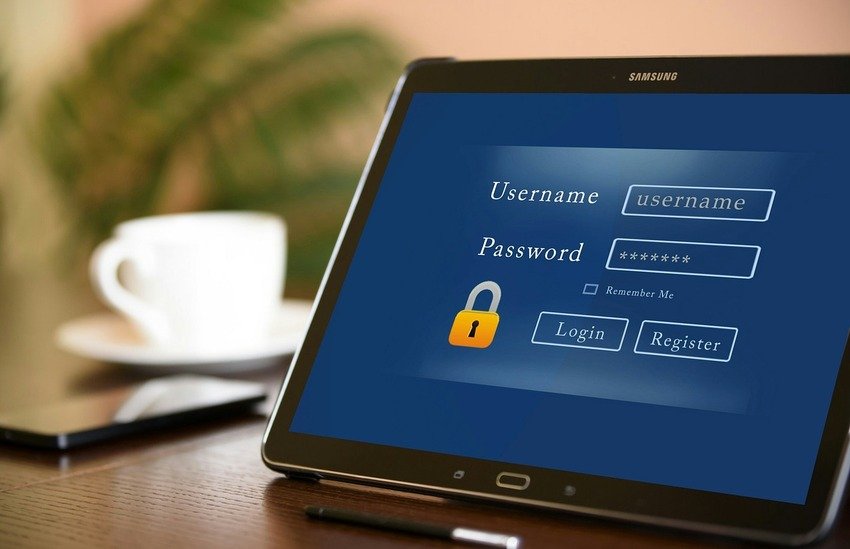
1. Double-Check Your Username and Password
It may sound obvious, but incorrect credentials are one of the most common causes of login failures.
Quick Fix:
-
Ensure Caps Lock is off.
-
Confirm you are using the correct email or username.
-
Re-enter your password carefully.
-
If needed, click “Forgot Password” to reset it.
Password resets usually take just a few minutes. Make sure you create a strong password that meets the platform’s requirements.
2. Clear Browser Cache and Cookies
Over time, browsers store cached data that can interfere with login sessions. Outdated cookies may prevent proper authentication.
Quick Fix:
-
Open your browser settings.
-
Clear cache and cookies.
-
Restart the browser.
-
Try logging in again.
If that does not work, open the platform in an incognito or private window to see if the issue is cache-related.
3. Check Browser Compatibility
Five9 works best on supported browsers. Using outdated or unsupported versions can lead to login failures.
Recommended Actions:
-
Update your browser to the latest version.
-
Switch to a supported browser such as Chrome, Edge, or Firefox.
-
Disable unnecessary extensions temporarily.
Browser extensions sometimes block scripts required for secure login authentication.
4. Verify Your Internet Connection
A weak or unstable connection may interrupt the login handshake between your device and the cloud server.
Quick Fix:
-
Restart your router.
-
Switch from Wi-Fi to a wired connection if possible.
-
Test other websites to confirm internet access.
-
Run a speed test to ensure stable bandwidth.
Even slight network interruptions can trigger timeout errors.
5. Disable VPN or Proxy Temporarily
Many companies use VPNs for security. However, certain VPN settings may interfere with login authentication.
If you suspect this is the case:
-
Disconnect from the VPN temporarily.
-
Attempt login again.
-
If successful, contact your IT department to whitelist the service.
Security tools are helpful but can sometimes block legitimate access attempts.
6. Account Lockout After Multiple Attempts
If you enter incorrect credentials multiple times, the system may temporarily lock your account for security reasons.
What to Do:
-
Wait for the lockout period to expire.
-
Contact your administrator to unlock the account.
-
Reset your password before trying again.
Security lockouts are designed to prevent unauthorized access, but they can be frustrating if you are in a hurry.
7. Firewall or Security Software Blocking Access
Corporate firewalls and antivirus software may block specific ports or scripts required for cloud authentication.
Solution:
-
Ask your IT team to confirm required ports are open.
-
Ensure the domain is not blocked.
-
Add the platform to your security software’s exception list if allowed.
This is a common cause of Five9 Login Issues in office environments.
8. Single Sign-On (SSO) Errors
Many organizations use Single Sign-On integration. If the identity provider fails, login attempts will not succeed.
Troubleshooting Steps:
-
Confirm you are using the correct SSO portal link.
-
Verify your corporate credentials are active.
-
Contact your IT administrator if authentication fails.
SSO simplifies access but adds another layer where errors can occur.
9. System Maintenance or Service Outages
Occasionally, login problems are caused by platform maintenance or temporary outages.
How to Check:
-
Visit the official status page.
-
Ask colleagues if they are experiencing the same issue.
-
Wait for service restoration if an outage is confirmed.
In this case, the issue is not on your end.
10. Update Your Operating System
Outdated operating systems may conflict with modern browser security protocols.
Quick Fix:
-
Install pending OS updates.
-
Restart your device.
-
Attempt login again.
Keeping your system updated ensures compatibility with secure cloud applications.
Preventing Future Login Problems
While occasional login trouble is unavoidable, you can reduce the chances of repeated disruptions.
Best Practices:
-
Use a stable internet connection.
-
Keep your browser updated.
-
Avoid sharing login credentials.
-
Store passwords securely in a password manager.
-
Log out properly after sessions.
Following these habits can prevent recurring Five9 Login Issues and ensure smoother daily operations.
When to Contact Support
If you have tried all the above solutions and still cannot access your account, it is time to escalate.
Contact your:
-
Internal IT support team
-
System administrator
-
Official customer support
Provide detailed information such as:
-
Error message displayed
-
Browser type and version
-
Screenshot of the issue
-
Time the problem started
Clear details help resolve issues faster.
Why Fast Resolution Matters
In a contact center environment, downtime affects productivity, customer satisfaction, and revenue. Agents rely on seamless access to perform tasks like answering calls, managing tickets, and tracking performance.
Quick troubleshooting ensures minimal disruption. Even five to ten minutes of login failure can create workflow bottlenecks during peak hours.
Understanding how to fix Five9 Login Issues quickly empowers teams to stay operational without waiting for extended technical support.
Final Thoughts
Login problems can feel stressful, especially when customers are waiting. But most issues stem from simple causes such as cached data, outdated browsers, credential errors, or network instability.
By following systematic troubleshooting steps, you can resolve most access problems in minutes. Staying proactive with updates, secure password management, and browser maintenance also helps prevent future disruptions.
Cloud platforms are powerful tools, but they depend on stable connections and secure authentication processes. With the right approach, login problems become manageable rather than overwhelming.
If issues persist, do not hesitate to involve your IT team. Fast action keeps operations running smoothly and ensures that customer service standards remain high.
FAQs
1. Why am I getting an invalid credentials error?
This usually means your username or password is incorrect. Double-check spelling and reset your password if necessary.
2. Can browser extensions cause login failures?
Yes, certain extensions may block scripts needed for secure authentication. Disable them temporarily and try again.
3. How long does an account lockout last?
It depends on your organization’s security policy. Contact your administrator for exact timing.
4. Does using a VPN affect login?
Sometimes. VPN settings may interfere with authentication. Try disconnecting briefly to test.
5. What should I do if the platform is down?
Check the official service status page and wait for updates. If confirmed, the issue is temporary and not device-related.

Read Dive is a leading technology blog focusing on different domains like Blockchain, AI, Chatbot, Fintech, Health Tech, Software Development and Testing. For guest blogging, please feel free to contact at readdive@gmail.com.