
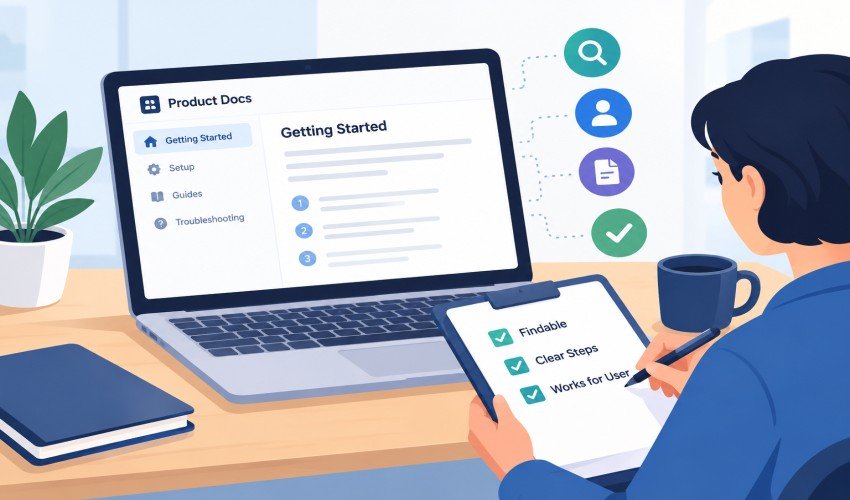
Product documentation can look polished and still fail a customer. The steps may be accurate for an administrator but unavailable to a regular user. A guide may describe the old interface. A troubleshooting page may explain the problem without telling the reader what to do next.
For software teams, reviewing documentation as part of the user experience provides a more useful quality check than proofreading alone. The objective is simple: determine whether someone outside the team can find the right article, follow its instructions, and recognize the result.
Define what a successful article should help someone do
Begin with one customer task. It might be connecting an integration, inviting a teammate, downloading data, or understanding a plan limit. Write down the expected outcome before reviewing the article.
This keeps the review focused. An article can contain correct information while failing to support its intended task. If a setup guide spends most of its space describing background concepts, the customer may struggle to identify the actions they need to take.
If the page tries to support several unrelated outcomes, split it into smaller articles. A setup procedure and a guide to recovering from a failed setup can link to each other while remaining useful to readers with different needs.
Check prerequisites with the intended account type
Use a test account that reflects the article’s intended reader. A reviewer with broad internal access may miss permission restrictions that customers encounter immediately.
Check whether the guide states the required role, plan, connected service, or starting configuration. Those conditions belong near the beginning. A reader should not discover halfway through a procedure that a control is unavailable to them.
Describe variations only where they affect the task. If several roles follow the same steps, a short prerequisite note may be enough. If the paths are materially different, separate instructions can prevent readers from applying the wrong sequence.
Follow the steps without supplying missing knowledge
Ask a reviewer who did not write the article to use the published guidance as their only source. The author should avoid filling gaps with verbal explanations during the first pass. Those gaps are precisely what the test is meant to reveal.
Check the names of buttons, menus, and settings against the current interface. Identify steps that combine several actions without explaining their order. Record points where the reviewer hesitates or needs to guess what an instruction means.
After completing the procedure, compare the actual result with the article’s description. A guide should explain what success looks like, including any delay or follow-up action that is normal for the workflow. Otherwise, customers may interpret a successful action as a failure and contact support unnecessarily.
Review the failure path as carefully as the successful path
A troubleshooting article needs a boundary. Explain the checks a customer can perform, how to interpret the results, and when to ask for help. Avoid turning the public page into a copy of the team’s diagnostic notes.
Remove private customer information, internal escalation instructions, and references to tools the reader cannot access. Keep the internal version separately when support needs deeper operating detail.
The contact route should also be usable. Tell readers what information is helpful when reporting the issue, without encouraging them to share passwords or other secrets. The aim is to make the next conversation more productive, not to expose internal systems.
Test discovery and navigation
The article itself is only part of the experience. Try searching with the language a customer would use, including a familiar description of the problem rather than the team’s internal feature name. Check whether the title clearly identifies the answer.
Then browse from the relevant category. A user who does not know the correct search term should still have a sensible path. Review related links for outdated pages and make sure the article does not end without a next step when one is needed.
Teams authoring in Notion can consider publishing tools such as Helpview to present their content through a dedicated customer help center. Choosing a publishing layer does not remove the need to test the guidance; it makes the customer-facing version another part of the review.
Repeat the review when the product changes
Give important articles an owner and connect their review to relevant releases. A renamed control, new permission rule, or changed integration requirement is a reason to test the affected instructions again.
Support questions can identify what release reviews miss. If customers repeatedly need clarification after reading a guide, inspect the title, prerequisites, and steps rather than assuming the answer is already covered.
Documentation testing does not need an elaborate process. A clear task, a suitable test account, and a reviewer who follows the published path can reveal the most important gaps. Treating those gaps as product experience issues helps software teams maintain guidance that customers can actually use.

Read Dive is a leading technology blog focusing on different domains like Blockchain, AI, Chatbot, Fintech, Health Tech, Software Development and Testing. For guest blogging, please feel free to contact at readdive@gmail.com.